
Feature 05 · Deliver the work
Clients can see where things stand without asking you
Give your clients access to relevant booking, payment, invoice, receipt, policy, and delivery information without requiring repeated manual updates.
The portal is not another thing to maintain. It shows what is already on the booking, the moment it changes.
What this solves
The three things that usually go wrong
The same three questions, from every client, every week
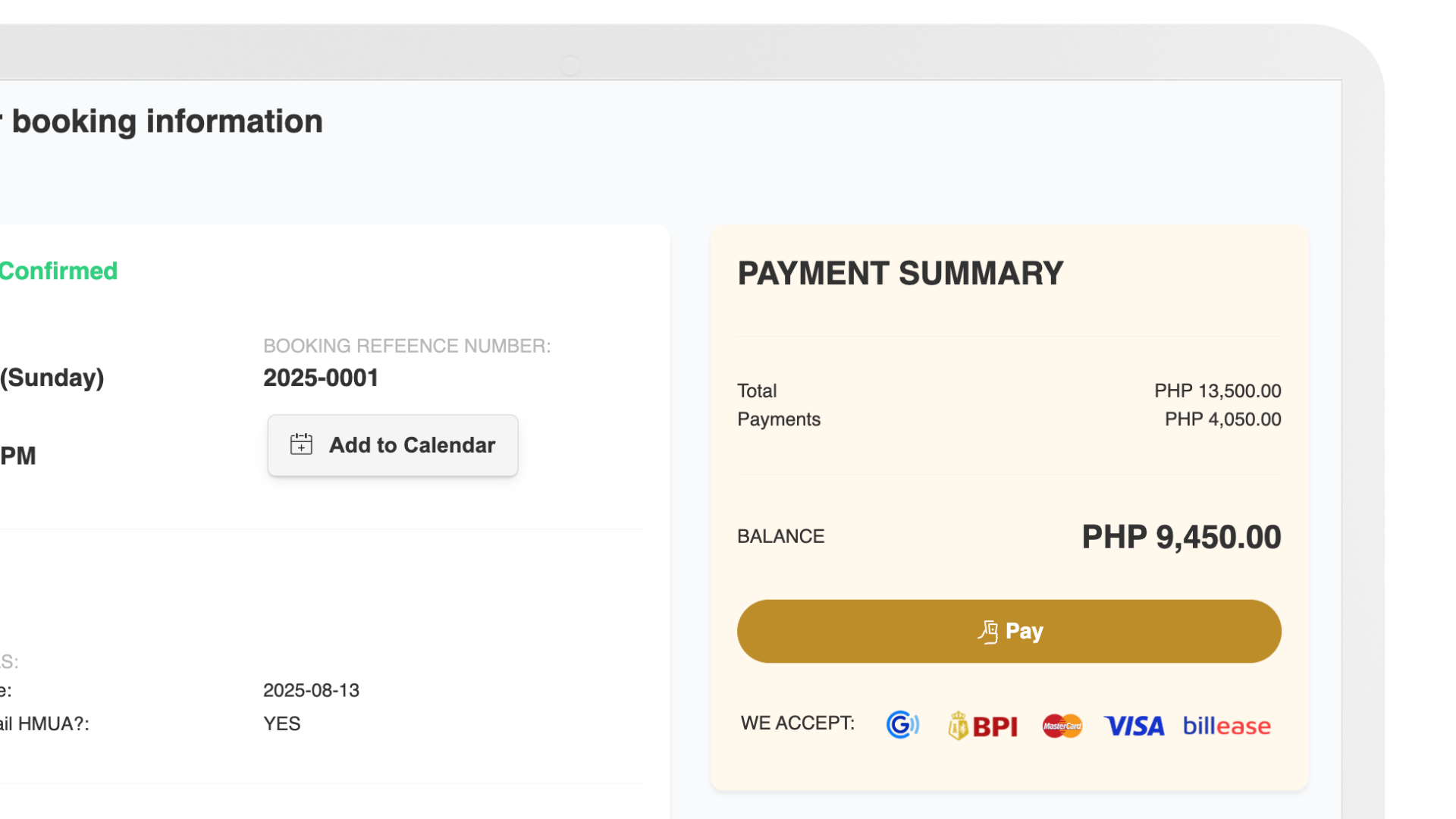
Status, balance and schedule are visible to the client the moment they change.
Receipts and invoices get re-sent from a phone gallery
Invoices, receipts and transaction history live on the booking and stay available.
Clients miss their own schedule
Add to calendar puts the date in their calendar, and reminders go out on their own.
What is inside
Every capability, and what it actually does
Pick any capability to see what it means in day-to-day operations.
What the client can see
Money on the record
Delivering the work
In the product
Client Booking Portal
Booking status, balance, receipts and delivered work — answered before the client has to ask.
Where this connects
This is one part of a connected operation
Nothing here works in isolation — the context arrives from one side and carries on to the other.
Comes from
Service delivery
Status, schedule and deliverables come straight from the booking record.
Go to service delivery →Leads to
Payments and finance
What the client pays lands in the payment manager and reconciles against the booking.
Go to payments and finance →Runs alongside
Automation
Confirmations, reminders and delivery notices reach the client without anyone sending them.
Go to automation →Who this helps most
See it for your kind of business
Questions
Before you ask
No. The portal is a link in a browser, on a phone or a laptop.
Yes. The portal shows the booking, payment and delivery information you publish — internal notes and costs stay internal.
Record it against the booking and the portal reflects the new balance and receipt straight away.
Client galleries let them view and make selections against the booking they belong to.
See what connected operations could look like for your business
Client Experience is one of eight parts of the operation Simplifi connects. The next step is seeing how the whole workflow could fit your business.