
Your studio is fully booked.
Your systems shouldn't be.
Slot-based bookings, self-booking for clients, back-to-back session management, album expiry controls, physical product orders, and contractor coordination — all running from one platform. So you can step back without losing oversight.
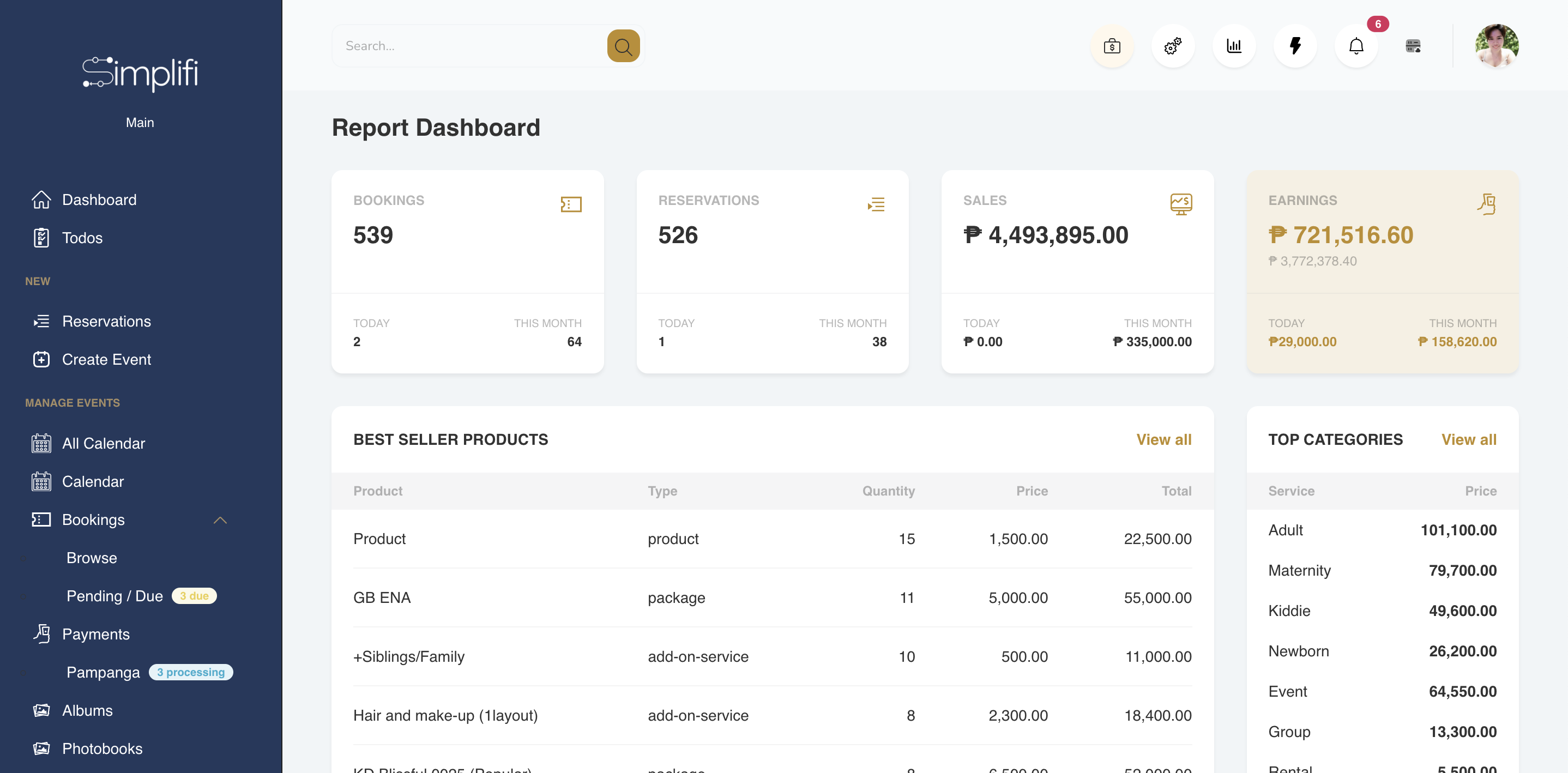
Built for studios like yours
The Real Problem
You built the studio.
Now the admin is running you.
A physical studio should be a machine — sessions flow in, clients leave happy, revenue is predictable. Instead, you're manually verifying bank transfers, chasing deposits, and rebuilding your calendar every time something changes.
Confirming bookings means checking your bank manually
Client pays via GCash or bank transfer, sends a screenshot, and someone on your team manually checks the bank to verify before confirming the slot. It's slow, it's error-prone, and it creates a gap between payment and confirmation that frustrates clients.
Your calendar is a color-coded spreadsheet you built yourself
You created a system that works — until someone double-books, a tentative slot doesn't convert, or you need to open specific weekends for a seasonal campaign. A DIY calendar can't handle what a growing studio needs.
Tentative bookings fall through with no automated follow-up
A client pencil-books a slot. They haven't paid the deposit yet. Your team has to remember to follow up, remind them, and manually release the slot if they don't convert — every single time.
Seasonal campaigns need date-specific slot control you don't have
Christmas shoots in November and December. Valentine's mini sessions on specific weekends. You want to open only those dates — but your current setup is all-or-nothing. Managing exceptions is entirely manual.
Album expiry and re-enable is a completely manual process
You give clients a 2-week access window. When it expires, they have to pay to re-enable. Right now that means tracking expiry dates, manually unpublishing, and processing re-enable requests one by one — every time.
Contractor workload has no visibility until someone is overloaded
You have 20 on-call photographers and videographers. Figuring out who's available, who's overloaded, and who to reassign requires checking manually across all bookings — reactively, not proactively.
Your Studio's Operations Engine
Every part of running a physical studio, automated.
From slot availability and deposit tracking to album expiry and contractor workloads — Simplifi Studio handles the operational layer so you can focus on the photography.
Back-to-back sessions, self-booking, automatic slot assignment. All handled.
- ✓ Client self-booking with real-time slot availability
- ✓ Back-to-back session management — up to 3 per slot
- ✓ Automatic slot assignment on booking confirmation
- ✓ Single-slot-per-schedule enforcement when needed
- ✓ Date-specific availability for seasonal campaigns
- ✓ Conflict detection before a slot is confirmed
Stop checking your bank to confirm a booking.
- ✓ Payment status workflow: Pending → Processing → Confirmed
- ✓ Full audit trail per transaction — no disputes, no confusion
- ✓ Auto-confirm booking once deposit is logged
- ✓ Manual fallback: screenshot + bank verification still supported
- ✓ Balance reminders sent automatically before session date
- ✓ Per-session payment history accessible by owner anytime
Albums that expire automatically. And earn again when re-enabled.
You already have the right business model — clients get a 2-week access window, then they pay to re-enable. The problem is you're managing it entirely by hand: tracking expiry dates, manually unpublishing galleries, and processing re-enable requests one by one.
Simplifi Studio automates the entire cycle. Set the access window once. The album publishes when the session is delivered, counts down automatically, and unpublishes when the window closes. When a client wants to re-enable — they pay, you approve, it's back online. No manual tracking. No missed expiries. A revenue model that runs itself.
- ✓ Custom access window per album — set it once
- ✓ Auto-publish on delivery, auto-unpublish on expiry
- ✓ Client pays to re-enable — your exact monetization model
- ✓ Download tracking: know when the client accessed files
- ✓ Internal review gate — approve before client can view
- ✓ Access control: only the client you specify can open the link
20 on-call photographers. See who's available before someone is overloaded.
- ✓ Contractor workboard: see load across all active sessions
- ✓ Each contractor sees only their own calendar and deadlines
- ✓ Reassignment without manual follow-up to the whole team
- ✓ Payout tracking per session with full payment history
- ✓ Work submission and review before files reach client
- ✓ Role-based access — staff see only what they need
The income statement that drives your biggest decisions.
- ✓ Live income statement — revenue minus expenses, always current
- ✓ Revenue by session type, package, and period
- ✓ Expense tracking: contractor payouts, equipment, overheads
- ✓ Year-over-year comparison as your data builds up
- ✓ Outstanding balances across all active bookings
- ✓ Finance view restricted to owner — hidden from staff by default
Two locations. One account. All data separated by branch.
- ✓ Multiple branches under one account — no separate logins
- ✓ Bookings, clients, and finances grouped per branch
- ✓ Team members scoped to their branch only
- ✓ Owner sees all branches in a single consolidated view
- ✓ Branch-level reporting alongside company-wide totals
Available on Enterprise Plan
Multi-branch management is part of Simplifi Studio's Enterprise tier with custom pricing. See all plans →
How Every Session Moves
One booking. Six stages. All tracked automatically.
From the first inquiry to the final album delivery, every session follows a clear lifecycle inside Simplifi Studio — no manual status updates, no one falling through the cracks.
Inquiry
Client messages. Lead captured in the pipeline — not lost in Messenger.
Tentative
Slot pencil-booked. Deposit reminder sent automatically. 24hr release if unpaid.
Confirmed
Deposit logged. Booking auto-confirmed. Slot locked. Contractor assigned.
Session & Editing
Photographer submits files. Internal review before client sees anything.
Album Delivery
Gallery published. Access window starts. Client notified. Expiry countdown begins.
Complete
Balance settled. Album expired or re-enabled. Physical products shipped if ordered.
Who It's For
If clients come to your space, this is built for you.
Whether you're a solo studio owner or running a team of on-call photographers across multiple session types — Simplifi Studio handles the operational side so you can focus on the creative one.
Newborn & Baby Studios
Manage high-volume, back-to-back sessions with precise scheduling, deposit tracking, and album delivery — without a single manual confirmation.
Self-Portrait Studios
Clients self-book, pay online, and show up. You monitor the schedule, track payments, and manage album access — without being physically present for every session.
Portrait & Lifestyle Studios
Run seasonal campaigns with date-specific slot control, manage contractor assignments per session, and deliver client galleries with automated expiry.
Themed & Creative Studios
Open specific sets for seasonal bookings, track physical product orders alongside digital delivery, and keep client briefs attached to every session.
Commercial & Product Studios
Handle corporate clients with contracts, multi-session bookings, revision tracking, and branded file delivery all in one organized project profile.
Studio Owners
See every booking, every contractor, every pending payment, and your full income statement — from one dashboard, without being in the studio.
See It In Action
Browse a real studio account.
No sales call. No setup required. Click in and explore how a real photography studio with a physical space is set up inside Simplifi Studio — slot bookings, album delivery, contractor management, and all.
Explore a live studio — slots, albums, contractors, and payments.
This is a real Simplifi Studio account configured for a photography studio with a physical space. Browse the session calendar, open a client album with expiry controls, check the contractor workboard, and see how the income dashboard looks with real booking data behind it.
Studio Stories
Studios that made the switch
"We were manually verifying every single bank transfer before confirming a slot. With 9 sessions a day, that's 9 manual checks. Simplifi eliminated that entirely — payment comes in, slot confirms, client gets notified. Our staff now has time for actual client work."
"The album expiry feature matched exactly how we already operated — we just weren't automating it. Now the 2-week window runs itself. Clients who want to re-enable pay, we approve, it's back online. We stopped losing re-enable revenue to clients we simply forgot to follow up with."
"I have 20 on-call photographers. Before Simplifi, I was always finding out someone was overloaded after it was already a problem. The workboard lets me see who has capacity before I assign the next booking. I stopped firefighting and started planning."
Getting started
Try it for free.
No credit card.
No complicated setup.
Most studios are up and running in under 10 minutes. You don't need to commit to anything until you've seen it work for your studio.
Start for free
Sign up with your email. No credit card required. Your account is ready immediately — no waiting, no approval process.
Free, no time limit
Explore your dashboard
Add your first booking, set up your packages, invite a team member. See exactly how Simplifi Studio fits your studio's workflow.
No dummy data — your real studio, real clients
Upgrade when you're ready
Once you've seen it work, pick the plan that fits your studio size. Upgrade, downgrade, or cancel anytime — no lock-in.
Plans start at ₱999/month
The next step
You finally run like a well-oiled business.
Not just less stress. Not just fewer spreadsheets. A business that looks more premium to clients, operates without depending entirely on you, and scales without chaos — because it has a system.
14-day free trial · Setup in under 10 minutes · Cancel anytime · No credit card required